Translate selectivity sheet content
Source:vignettes/translate-selectivity-sheet-content.Rmd
translate-selectivity-sheet-content.RmdTranslating selectivity sheets
create_translate_dict() : generate object with
translated text
This function will provide all the necessary text to generate the
selectivity sheet in the required language. The text is stored in a
named list that will be accessible when calling the
create_selectivity_sheet() function.
# create the EN translator
lg <- create_translate_dict(language = "EN")
#> Using the EN version of the selectivity template

# call main title by its ID
cat(lg[["0_main_title"]])
#> Selectivity sheet - InseR

# create the FR translator
lg <- create_translate_dict(language = "FR")
#> Using the FR version of the selectivity template

# call main title by its ID
cat(lg[["0_main_title"]])
#> Fiche de sélectivité - InseR
Input file for translation
The function create_translate_dic() sources its text
from a CSV file included in the package. Each row of the CSV file
corresponds to one line of text in the Rmd report to be translated.
The path to the default csv input file can be retrieved with
system.file("template", "translation.csv", package = "inser").
The content of the CSV file is organised as follow :
- an
idcolumn : a unique alias that will be use to call the correct line of text - a
descriptioncolumn : a short description of the usage of the line of text - a
ENcolumn : the line of text in English - a
FRcolumn : the line of text in French
# load csv
csv_lg <- readr::read_csv2(
  file = system.file("template", "translation.csv", package = "inser"),
  show_col_types = FALSE
)
#> ℹ Using "','" as decimal and "'.'" as grouping mark. Use `read_delim()` for more control.

# show a preview
head(csv_lg) %>% knitr::kable()| id | description | EN | FR |
|---|---|---|---|
| 0_test_entry | An example entry | This is the text output of the example entry | Ceci est la sortie de texte de l’entrée d’exemple |
| 0_main_title | The main title of the sheet | Selectivity sheet - InseR | Fiche de sélectivité - InseR |
| 0_sub_title_twin | The subtitle for twin protocol | Twin gear protocol | Protocole en engins jumeaux |
| 0_title_device | The section title for selected devices | Tested devices | Engins testés |
| 0_gear | The name for the gear field | Gear | Engin |
| 0_selective_device | The name for the selective device field | Selective device | Dispositif sélectif |
To edit the text content of the Rmd report, edit the csv file
according to its format specified above. Note that you will need to
define one unique id per line of text, so you can call your
new line of text as lg[["id"]] in the Rmd report.
Rendering reports with translation
Once the translation list object is loaded in the environment, we can call it inside Rmd chunks to display the correct text. We can call this translator at several places, as explained below.
-
Translating file title and subtitle
- edit yaml header
- example : c.f. chunk below
---
title: "`r lg[['0_main_title']]`"
subtitle: "`r lg[['0_sub_title_twin']]`"
output: word_document
params:
  lg: NULL
----
Translating chapter and text
- use inline r evaluation code
-
example :
`r lg[['0_main_title']]`will be shown in the text as : Fiche de sélectivité - InseR
-
Translating graph caption and labels
- use direct call to the list object
-
example :
- using
fig.cap = lg[['1_duration_caption']]in chunk header will render the proper plot caption - using
labs(y = lg[["1_duration_labs"]])in the ggplot construction will render the proper plot label
- using
ggplot(tab_OP, aes(y = fishing_duration)) +
  geom_boxplot(width = 0.5) +
  labs(y = lg[["1_duration_labs"]])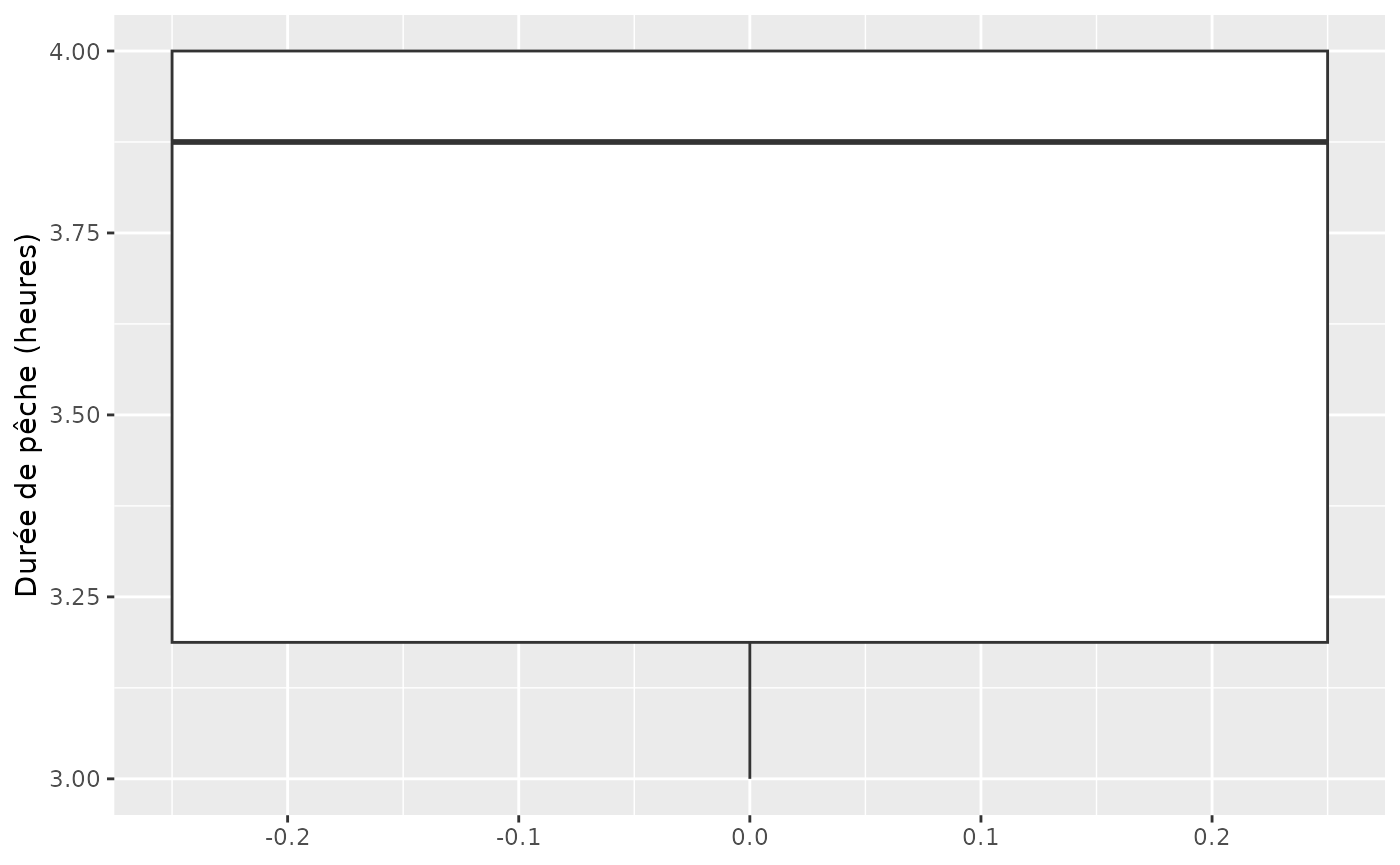
Durées des opérations de pêche en heures.
- Translating text outputs
# Get dummy variable values
nNA <- 2
nrow_info <- 10

# the sprintf character loaded is : "Note : il manque %i valeurs sur les %i opérations de pêche."

# Generate message with sprintf and lg object
if(nNA>0){
  cat(sprintf(lg[["1_missing_values"]], nNA, nrow_info))
}
#> Note : il manque 2 valeurs sur les 10 opérations de pêche.-
Rendering report
- Once the report is correctly including the calls to the translation
object, we can render it with
rmarkdown::render() - The rendering language will be determined by the translation
dictionary
lgpassed as parameter the call tormarkdown::render()
- Once the report is correctly including the calls to the translation
object, we can render it with
Rendering an English version
# select template file
template_file <- system.file("template","selectivity_sheet_template.Rmd", package = "inser")

# load EN translation object
lg_en <- create_translate_dict(language = "EN")
#> Using the EN version of the selectivity template

# render template (will generate EN report)
rmarkdown::render(
  input = template_file,
  output_file = "selectivity_sheet_en.docx",
  quiet = TRUE,
  params = list(lg = lg_en)
)
Rendering a French version
# create the FR translator
lg_fr <- create_translate_dict(language = "FR")
#> Using the FR version of the selectivity template

# render template (will generate FR report)
rmarkdown::render(
  input = template_file,
  output_file = "selectivity_sheet_fr.docx",
  quiet = TRUE,
  params = list(lg = lg_fr)
)